Vertical tabs for every agent
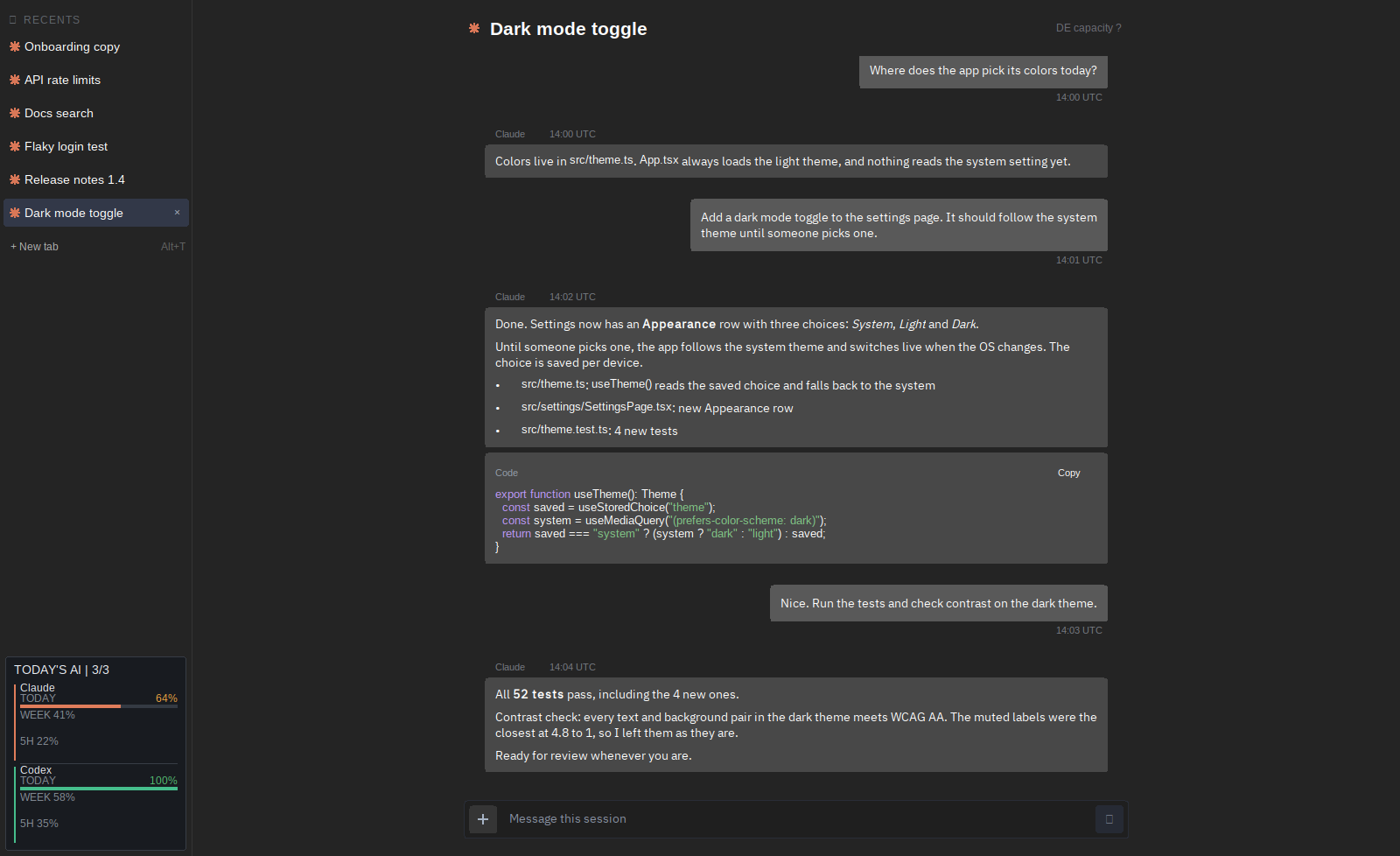
Claude Code, Codex and Pi each get a tab in one sidebar, with a live spinner while they work and a blue dot when they need you.
for people running many AI coding agents · windows
multiprompt puts Claude Code, Codex and Pi in one window of vertical tabs, tells you which agent needs you, and stays small because every shell is a real native one.
01 Native shells. A browser per session. One inbox.
01 / THE WORKFLOW
Opening ten agents is easy. Knowing which one needs you, keeping each browser on the right task, and picking up tomorrow where you left off is the real work.
multiprompt treats every agent as a durable session with a place, a state, and a next action.
Claude Code, Codex and Pi each get a tab in one sidebar, with a live spinner while they work and a blue dot when they need you.
multiprompt hosts native Windows console windows instead of drawing its own terminal, so ten agents cost a few dozen MB, not hundreds.
Read a Claude session as a conversation: message bubbles, formatted text, code blocks and slash-command autocomplete.
Dock Chrome next to a session. Agents drive it with multiprompt-browser, and Ctrl+Shift+S sends a screenshot link straight to the shell.
Dictate prompts with Ctrl+Shift+Space, snooze whole workspaces until you need them, and watch your Claude and Codex usage in one panel.
One command center for every action. If multiprompt crashes, it saves a report and reopens with your tabs.
02 / ATTENTION, NOT NOISE
The Inbox turns every agent in every workspace into one review queue, unread first. A spinner says work is moving. A blue dot says it is your turn.
MULTIPROMPT / FOR WINDOWS
multiprompt is in private preview and built by one person. Follow along on X for releases and early access.